
Inventory & parts
Parts and inventory in the same platform as your assets
Track parts and inventory in the same platform as your assets. Stock levels, reorder points and consumption linked to work orders and locations so you know what's on hand and when to reorder.
Get pricing4.9 on G2 · 5.0 on Capterra, GetApp & Software AdviceNo credit card required

Read how these teams run MapTrack








Co-Founder & GM of Operations
Stock levels, reorder points and consumption
- One platform
- assets + parts
- Stock visibility
- reorder alerts
- Audit trail
- consumption history
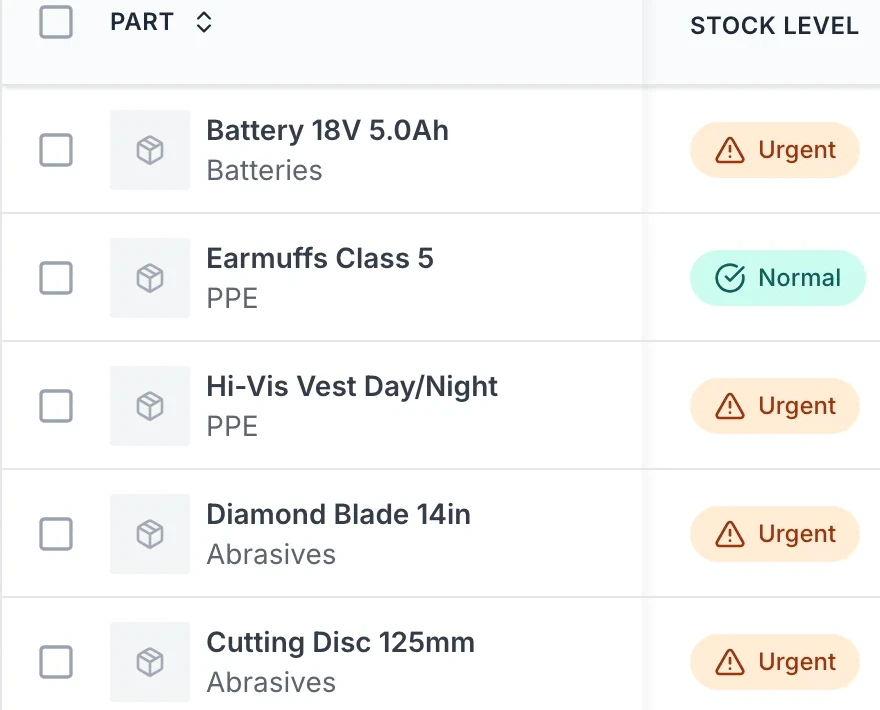
Know what's on hand, where it is and when to reorder. Reduce runouts and overstock.
MapTrack app · Demonstration data · Captured
See why it belongs with your assets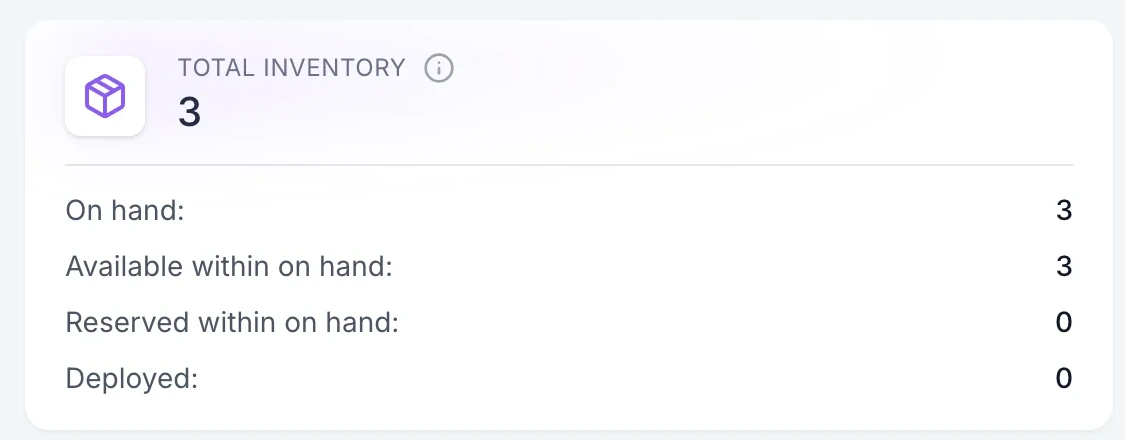
MapTrack separates stock on hand, reservations and outstanding assignment custody, so a returned item and a consumed item can follow different paths.
MapTrack app · Demonstration data · Captured
See stock on the shelf and with the crew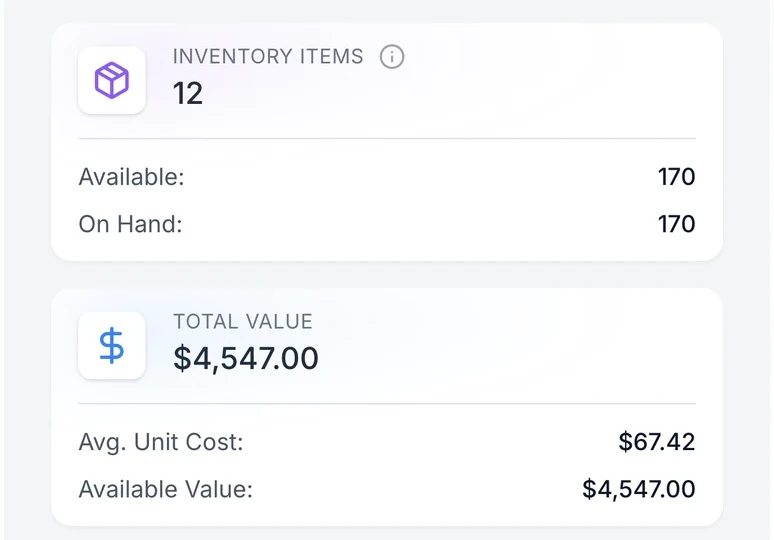
Storeroom and field teams can update stock from mobile. Keeps counts accurate across sites.
MapTrack app · Demonstration data · Captured
See field and store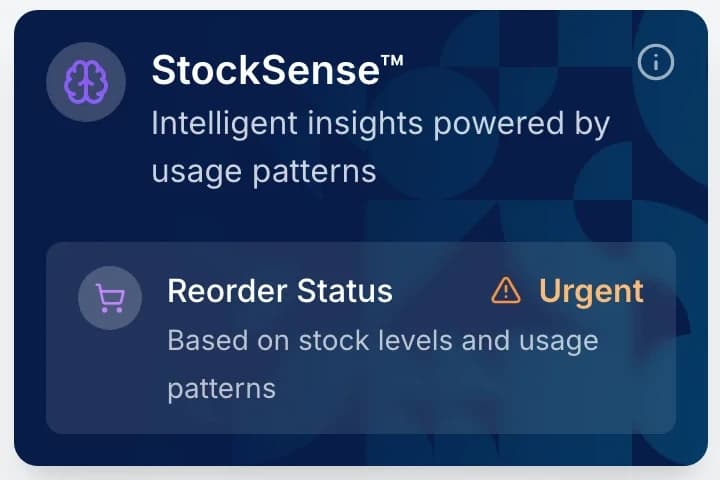
StockSense helps interpret usage and reorder status; purchasing remains a separate action.
MapTrack app · Demonstration data · Captured
See full detail on every part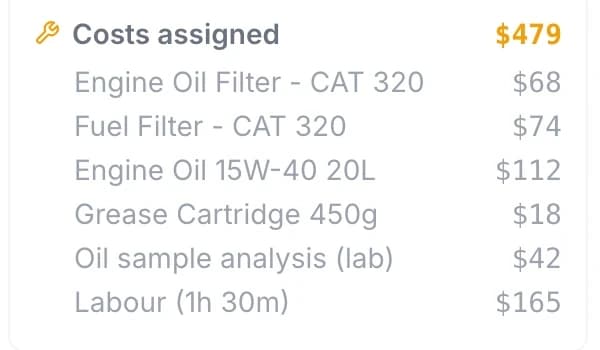
Record a service cost, or break it down into labour, parts and external costs.
MapTrack app · Demonstration data · Captured
See what gets used and where
Inventory sits with assets, work orders and compliance. No separate parts system.
MapTrack app · Demonstration data · Captured
See parts linked to work orders
Account for stock on the shelf and stock with the crew
A lower bin balance does not always mean the parts have been used. MapTrack separates stock on hand, reservations and outstanding assignment custody, so a returned item and a consumed item can follow different paths.
1. Choose the exact source bin
Issue from the bin that physically holds the stock. Available is the quantity available from on-hand stock after reservations; Deployed shows outstanding custody away from the bin.
2. Distinguish custody from consumption
Choose immediate consumption for items used up at issue. Choose tracked custody when a person or site may return unused items, then check the linked assignment.
3. Reconcile the actual return
Return unused quantities to an active stock bin and record consumption separately. If six items go out and two come back, four remain outstanding until reconciled. This is an illustrative quantity example.
4. Count physical stock, then verify the difference
Use Stocktake on an existing bin, enter the physical count and check the signed discrepancy before saving. Read back the transaction and revised balance; a matching count can still retain a zero-discrepancy confirmation.
Setup and limits
- Stock movements and assignment reconciliation need a connection.
- StockSense helps interpret usage and reorder status; purchasing remains a separate action.

Parts and stock, with what is running low
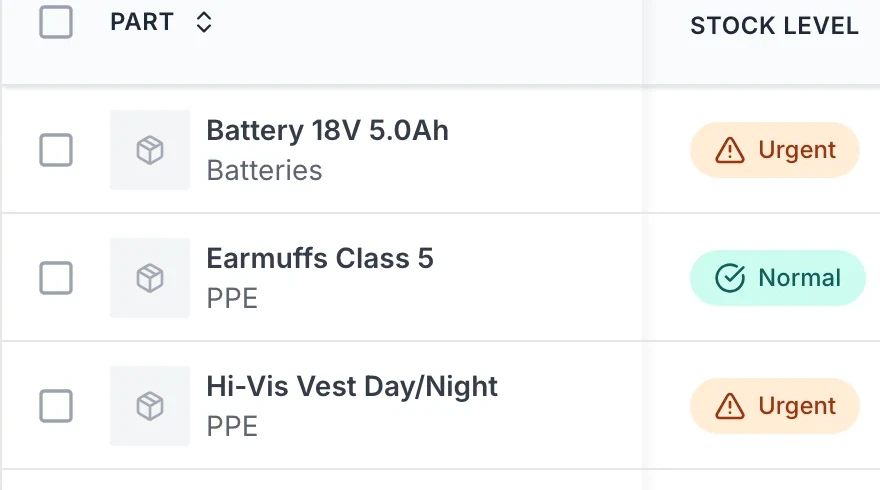
The parts list shows stock on hand and its value, and flags the items running low.
MapTrack app · Demonstration data · Captured
About this screenshot
Captured at a 1440 x 900 desktop viewport at 2x in a demonstration workspace, right of the sidebar.
Trusted by construction, civil and mining teams


Define, track and replenish. One source of truth
Set up parts with quantities, locations and reorder points. Use a compatible external scanner for known barcodes, or scan QR codes with the phone camera for fast identification. Record consumption against work orders and assets while connected. Use reorder alerts and reports to plan replenishment.
Define parts and stock
Set up parts with quantities, locations and reorder points. Link to asset types or work orders.
Explore maintenance →Track consumption
Record when parts are used for maintenance or issued to jobs. Stock levels update automatically.
Explore →Link to assets and work orders
Parts consumption ties to work orders and assets. See what was used on which asset or job.
Explore →If your ERP owns purchasing, parts or work-order actuals, review the ERP field operations reference architecture before designing inventory exchange.
Consumption tracking
Track what gets used and where
Record when parts are used for maintenance or issued to jobs. Stock levels update so you have an accurate view of what's on hand. Useful for cost tracking and proving what was used where.
Explore maintenance & work orders →
Parts, outside work and labour on the job
Part costs, an outside lab fee and logged labour add up on the work order: $479 for this 250 hour service at the time of capture. The part lines were entered as costs; this capture doesn’t show stock being drawn from the parts store.
MapTrack app · Demonstration data · Captured
About this screenshot
Demonstration workspace at a 1024 px desktop viewport, cropped to the work order’s cost summary. Costs were added with Add Cost, and labour with Log Time at $110 an hour.

The parts a machine uses
Parts are linked to the machine that uses them, so the filters, hoses and wear parts for this excavator sit on its own record.
MapTrack app · Demonstration data · Captured
About this screenshot
Demonstration workspace at a 1440 x 900 desktop viewport, cropped to the Parts card on the asset record; nothing pressed.
Linked assets
Parts linked to assets and work orders
Parts consumption can tie to work orders and assets. See what was used on which asset or job for cost and history. One platform so inventory sits with assignments, maintenance and compliance.
Explore cost tracking →Part detail view
Full detail on every part
View part details including stock levels, locations, reorder points and consumption history. Know what's on hand, where it is and when to reorder. Run stocktake audits to verify counts. Reduce runouts and overstock with better visibility.
Explore cost tracking →
A part and its stock
One part’s stock in one place: what is on hand and available, what it is worth, how fast it is used and where it is kept, flagged Urgent because it sits below its minimum.
MapTrack app · Demonstration data · Captured
About this screenshot
Demonstration workspace at a 1440 x 900 desktop viewport, cropped right of the navigation sidebar to a 16:10 frame; nothing pressed.
Why inventory belongs in your asset platform

Stock on a phone
Stock levels and value on a phone.
MapTrack app · Demonstration data · Captured
About this screenshot
Captured at a 430 x 932 phone viewport in a demonstration workspace and shown in a phone frame.
Know what you have, where it is and what it's worth
Real-time inventory counts, reorder alerts and warehouse-level visibility across every location. Try MapTrack free.
- No credit card required
- Unlimited users
Frequently asked questions
Get inventory under control
Join teams tracking parts and inventory alongside assets on MapTrack.
- No credit card required
- Unlimited users