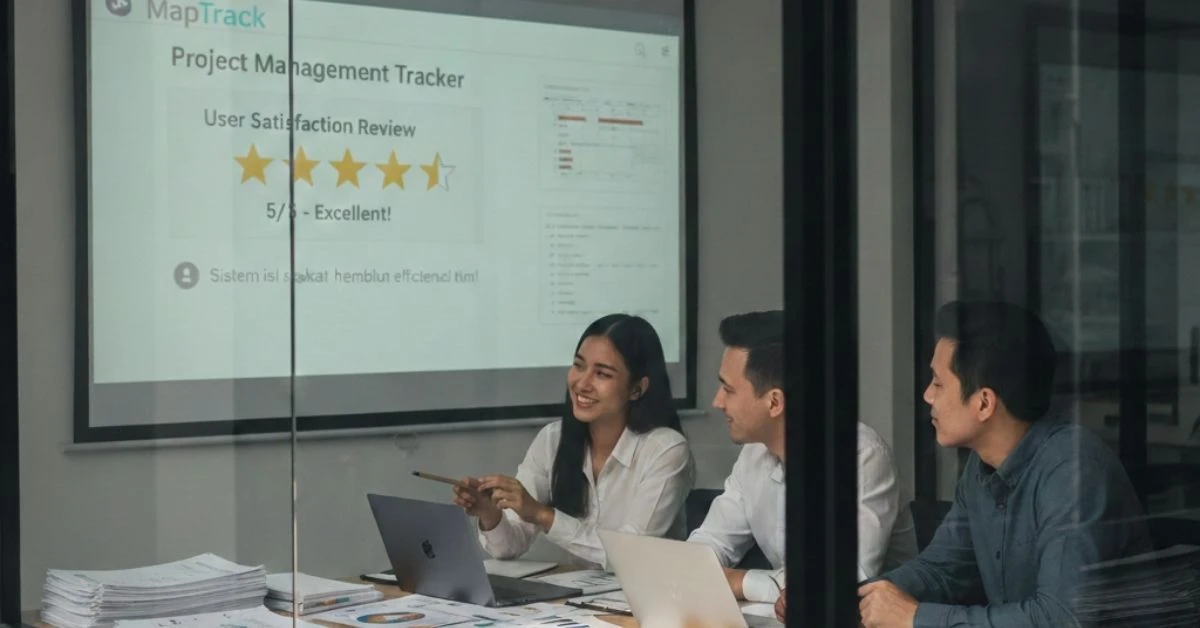
See MapTrack in action
Take a live, one-on-one tour with a product expert to see how MapTrack helps you track assets in real time, improve team efficiency, and prevent costly downtime.
Tracking School Assets with QR Codes
May 30, 2025

Schools manage hundreds to thousands of assets-laptops, tablets, projectors, lab equipment, library materials, sports gear, and classroom supplies. Without a reliable tracking method, items often go missing, become difficult to locate, or lose accountability between teachers and students.
This article explains how QR codes transform school asset management and help administrators, IT teams, and teachers maintain better control over school property.
Why Schools Need QR Code Asset Tracking
Modern schools manage a large number of shared devices, such as laptops, tablets, projectors, and various other tools. With these resources constantly being moved between classrooms and used by different students and teachers, ensuring visibility and accountability becomes crucial for smooth daily operations. QR code asset tracking offers a streamlined solution to manage and monitor these devices effectively.
1. Reducing Loss of High-Value Devices
In schools, the movement of devices between classrooms, events, and students frequently leads to the misplacement or loss of high-value items such as laptops, tablets, chargers, headphones, and projectors. The transient nature of the school environment makes it difficult to track these items manually, leading to inefficiencies and financial losses.
Common Issues
In a school environment, several common challenges contribute to asset management problems:
Students mix up devices
Teachers borrow tools between rooms
No clear assignment history
Devices misplaced during events or exams
Summary: QR code-based tracking makes the check-in/check-out process simple and traceable, helping schools reduce the loss of high-value devices by providing clear records of who is using what, and when.
2. Improving Accountability Among Teachers and Students
Accountability is crucial when managing shared school assets, as devices are often used by multiple people throughout the day. QR code tracking enhances accountability by ensuring every item is properly tagged, scanned, and logged.
Benefits
Clear record of who used the item last
Photo documentation of condition
Easy to track handovers across classrooms
Fewer disputes about responsibility
Summary: QR code asset tracking strengthens accountability with minimal administrative burden, providing clear records and reducing the likelihood of conflicts over device responsibility.
3. Faster Inventory and Classroom Audits
Inventory checks in schools can be time-consuming, particularly when done manually. QR code tracking allows for rapid inventory audits, saving time and ensuring that accurate asset details are always available.
With QR Codes
Scan items rapidly during audits
Verify classrooms stock the correct number of tools
Update inventory instantly
Maintain accurate asset details
Summary: QR code-based audits significantly reduce the administrative workload by making inventory checks faster, more accurate, and less prone to errors.
4. Better Maintenance and Condition Reporting
In schools, equipment often goes unreported when damaged or in need of maintenance because there is no structured process for reporting. QR codes streamline this process, making it easier for staff to report issues and ensure timely repairs.
QR Codes Improve Maintenance
Staff scan items to report damage
Add photos and notes instantly
Track repair history
Approve replacements based on actual data
Summary: QR code asset tracking prevents downtime by ensuring that maintenance needs are reported and addressed promptly, and provides valuable data to improve resource planning and equipment longevity.
5. Ideal for Schools with Shared Resources
Many schools rely on shared resources such as libraries, labs, AV equipment rooms, and sports departments. QR code asset tracking ensures that these resources are efficiently managed and reduces the risk of loss during high-traffic periods.
QR Codes Help
Assign items quickly
Track movement across departments
Log usage history
Prevent loss during after-school activities
Summary: QR code tracking is especially beneficial in environments with shared resources, providing full visibility and ensuring that equipment is properly assigned, used, and returned, thereby reducing the risk of loss and improving efficiency.
In conclusion, QR code asset tracking offers a comprehensive solution for schools to manage their devices more effectively. By improving visibility, accountability, and reporting, schools can reduce equipment loss, streamline inventory management, and ensure that resources are always available and in optimal condition for educational activities.
How QR Code Tracking Works in Schools
QR code tracking provides a streamlined, efficient system for managing school assets, helping schools maintain control over their devices, tools, and supplies. By integrating this system into daily school operations, it enhances asset visibility, accountability, and management.
1. Label Each Asset with a Unique QR Code
To ensure proper tracking and identification, each asset in a school is tagged with a unique QR code. This includes laptops, projectors, instruments, tools, and other school supplies, creating a simple yet effective system for monitoring their use.
Best Practices
Use durable labels
Include visible asset ID
Ensure QR codes scan from all angles
Summary: Proper labelling with durable, visible, and scannable QR codes ensures that school assets can be tracked reliably, enhancing asset management efficiency.
2. Scan Items with a Mobile Device
Using mobile devices like phones or tablets, teachers or students can scan the QR codes of assets during check-out and check-in. This simple process keeps asset data up-to-date in real time, minimizing the chances of errors or missing inventory.
Scanning Enables
Instant check-in/check-out
Quick assignment to a user
Real-time updates to asset location
Immediate condition reporting
Summary: Mobile scanning keeps asset data current without manual entry, ensuring accurate, up-to-date records that streamline asset management and reduce human error.
3. Link Each QR Code to an Asset Record
Each scanned QR code is linked to a comprehensive digital record of the asset. This record contains all the relevant details about the equipment, making it easy to track its history, condition, and usage.
Stored Information Includes
Photos
Serial numbers
Purchase date
Warranty and repair history
Assignment history
Summary: Asset profiles that include detailed information about each item help schools make more informed decisions regarding budgeting, maintenance, and replacement planning, leading to better management of school resources.
4. Use QR Codes During Classroom Moves and Events
During activities like exams, workshops, or room changes, devices are often moved from one location to another. QR code tracking ensures that these movements are recorded, and the equipment is properly tracked throughout the process.
QR Codes Help Teams Track
Which items were moved
Who moved them
Where they are now
Their condition after use
Summary: QR code tracking reduces the risk of loss during school-wide activities by providing full visibility of asset movements and ensuring that equipment is properly accounted for at all times.
Practical Example: Tracking Laptops for a School’s 1:1 Program
In a school’s 1:1 program, where each student is issued a personal device, managing the deployment, maintenance, and tracking of devices is critical. Implementing QR code tracking for 800 Chromebooks issued to students annually helped the school streamline asset management, reduce losses, and increase accountability.
Before QR Tracking
Before QR code tracking was implemented, the school faced significant challenges in managing the Chromebooks, which led to frequent losses, unclear ownership, and inefficient processes.
60+ devices lost each year
Teachers unsure who had which device
Repairs undocumented
Inventory took several days
After Implementing QR Codes
With the implementation of QR code tracking, the school transformed its asset management process, addressing the challenges faced before and significantly improving the efficiency and effectiveness of the 1:1 program.
Each Chromebook tagged and scanned
Students check out devices daily using QR codes
Repairs logged instantly with photos
Inventory time reduced to under two hours
Outcome
The implementation of QR code tracking significantly improved asset management and accountability for the school’s 1:1 program.
Lost devices dropped by 70%: QR code tracking reduced lost devices by 70%, providing reliable tracking of each device’s location and user, which minimized misplacement and financial losses.
Accountability increased significantly: With clear tracking of checkouts, repairs, and condition reports, both students and staff were more accountable. Teachers could easily identify device assignments, and students understood their responsibility for the devices.
How MapTrack Helps Schools Track Assets with QR Codes
MapTrack is a comprehensive asset tracking solution designed for educational environments, offering an intuitive, mobile-friendly system that helps schools track, manage, and secure their assets efficiently. By leveraging QR codes, MapTrack enhances visibility, accountability, and operational efficiency across classrooms and departments.
Real-Time Visibility of School Assets
MapTrack provides schools with real-time visibility into their assets, ensuring that administrators and staff always know the location and status of their equipment. MapTrack tracks:
Asset location
Assignment history
Conditions and maintenance status
Stock levels for classroom supplies
Fast Check-In/Check-Out
QR code scanning streamlines the process of issuing and returning assets, allowing for quick and accurate tracking. This feature saves time for IT teams, teachers, and students, making asset management more efficient.
QR scanning makes issuing and returning assets fast for IT teams, teachers, and students: QR codes enable fast check-in and check-out of assets, allowing items to be quickly assigned and returned.
Condition Reports & Checklists
MapTrack makes it easy for staff to document the condition of assets and complete routine inspections, ensuring that equipment is properly maintained and any issues are addressed immediately.
Staff can report damage with photos and complete routine equipment checklists: Staff can use the QR code system to report damage or defects by attaching photos and notes directly to the asset’s record.
Smart Lock Integrations
MapTrack enhances security by integrating with smart lock systems, ensuring that high-value equipment is securely stored and only accessible to authorized users.
Secure storage rooms or tech carts with digital access logs: Smart lock integrations allow schools to secure storage rooms, tech carts, or other sensitive areas where high-value assets are kept. These locks are controlled digitally, and each access event is logged automatically, providing a detailed record of who accessed the equipment and when.
Summary: MapTrack helps schools reduce asset loss, improve accountability, and streamline management across classrooms and departments by providing real-time visibility, fast check-in/check-out processes, efficient condition reporting, and secure storage solutions. This comprehensive system ensures that educational institutions can effectively track and manage their assets, leading to better resource utilization and operational efficiency.
FAQ
What school assets can be tracked using QR codes?
Laptops, tablets, projectors, science kits, sports equipment, musical instruments, library items, and more.
Are QR codes durable enough for school environments?
Yes—when using laminated or industrial labels designed for frequent handling.
Can students scan QR codes themselves?
Absolutely. It speeds up distribution and makes students accountable for devices.
How does QR tracking help reduce loss?
By recording every handover and showing exactly who last used each item.
Can QR codes work for consumables like supplies?
Yes—QR codes track stock levels and help reorder items on time.
Does MapTrack integrate with smart storage?
Yes—MapTrack supports smart lock systems for secure, auditable access.
Conclusion & Actionable Takeaways
To improve asset visibility and reduce loss, schools should:
Label every asset with durable QR codes
Digitise assignments and handovers
Use mobile scanning for fast updates
Track conditions with photo reports
Analyse usage to optimise budgets
Implement secure storage for high-value items
Platforms like MapTrack make QR-based school asset tracking simple, scalable, and effective.